 Electro
Arduino vs ESP32 vs Raspberry Pi: Which Board for Your Project?
Arduino Uno, ESP32 or Raspberry Pi? Compare logic voltage, Wi-Fi, OS, real-time control and power, then pick the right board for 10 common projects.
On this page
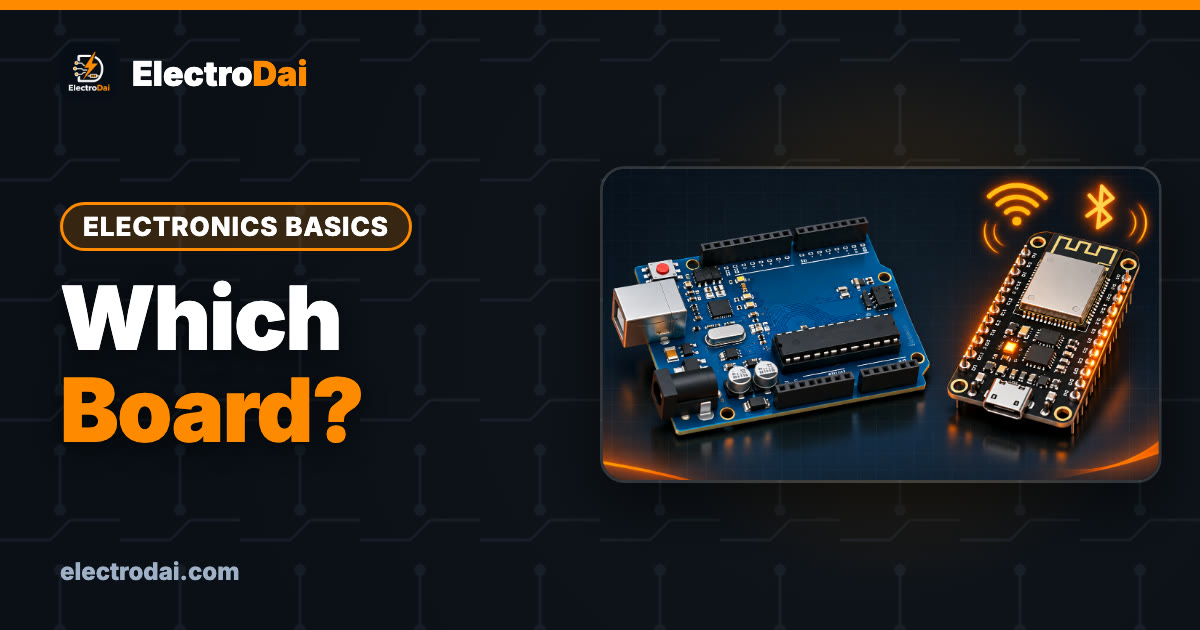
"Which board should I buy?" is one of the most common questions ElectroDai gets from students. The honest answer is: it depends on what the project has to do. An Arduino Uno, an ESP32 and a Raspberry Pi look similar on a table, but they are very different kinds of device. Choosing the wrong one makes a simple project hard, or a hard project impossible.
This guide explains the key difference, compares the three boards side by side, covers the two mistakes that kill Raspberry Pis, and then recommends a board for ten common student projects.
What you need
Scroll sideways to see all columns.
| Item | Notes |
|---|---|
| A rough description of your project | What it senses, what it controls, does it need internet, does it need a camera |
| Arduino Uno (optional) | Simple 5 V input/output |
| ESP32 dev board (optional) | Wi-Fi + Bluetooth, 3.3 V |
| Raspberry Pi with power supply and microSD card (optional) | Full Linux computer |
| USB cable | To connect Pi and Arduino in the last section |
The big difference: microcontroller vs computer
The Arduino Uno and the ESP32 are microcontrollers. They run one program, start in under a second when powered, and control pins with precise timing. There is no operating system to boot, no files to corrupt, and you can switch them off at any moment.
The Raspberry Pi is a single-board computer. It runs a full Linux operating system from a microSD card. It can run Python, OpenCV, a database, a web server and a desktop at the same time. In exchange it takes time to boot, draws more power, needs a clean shutdown, and its Linux system is not designed for exact microsecond timing on pins.
Think of it this way: the microcontroller is the muscles and reflexes, the Pi is the brain. Many good projects use both.
Side-by-side comparison
Scroll sideways to see all columns.
| Arduino Uno (R3) | ESP32 dev board | Raspberry Pi (4 / 5) | |
|---|---|---|---|
| Type | Microcontroller (ATmega328P) | Microcontroller (dual-core, Wi-Fi) | Single-board computer |
| Clock speed | 16 MHz | Up to 240 MHz | Over 1 GHz, multi-core |
| Memory | 2 KB RAM, 32 KB flash | About 520 KB RAM, usually 4 MB flash | Gigabytes of RAM, microSD storage |
| Logic voltage | 5 V | 3.3 V | 3.3 V |
| Analog inputs | 6 × 10-bit | Many 12-bit (non-linear near the ends; ADC2 not usable with Wi-Fi) | None built in; needs an external ADC |
| Wireless | None | Wi-Fi + Bluetooth | Wi-Fi + Bluetooth |
| Operating system | None | None (FreeRTOS underneath) | Linux (Raspberry Pi OS) |
| Start-up time | Instant | Instant | Tens of seconds |
| Real-time pin control | Excellent | Very good | Limited |
| Power | Low | Low, with deep sleep | Much higher; needs a quality supply |
| Programming | Arduino C++ | Arduino C++, MicroPython, ESP-IDF | Python, C/C++, almost anything |
| Safe to just unplug? | Yes | Yes | No, shut down first |
Exact figures vary between board versions, so check the official page of the board you actually buy. Newer boards such as the Arduino Uno R4 and the Raspberry Pi Pico (a microcontroller, despite the name) blur the lines, but the microcontroller-vs-computer idea still applies.
Two Raspberry Pi rules that save money
1. The GPIO is 3.3 V, and it is not 5 V tolerant
The Pi's GPIO pins work at 3.3 V. Feeding 5 V into a Pi input pin, for example from an HC-SR04 echo pin or a 5 V Arduino's TX, can permanently damage the Pi. Use a voltage divider or a level shifter for 5 V signals. Also, never feed 5 V into the 3.3 V pin, and do not back-feed power through GPIO.
The ESP32 follows the same 3.3 V rule. The Arduino Uno is the forgiving one, at 5 V.
2. Shut it down properly
Pulling the plug while Linux is writing to the microSD card can corrupt the card, and the Pi may not boot again. Always shut down first:
sudo shutdown -h now
Wait for the green activity LED to stop blinking, then remove power. Use the official or a good-quality power supply, since an underpowered Pi behaves strangely and can corrupt the card too. Back up your SD card once your project works.
Using both: Pi + Arduino over USB serial
A robot that recognises a coloured ball is a perfect example. The Pi runs the camera and OpenCV. The Arduino drives the motors through an L298N. They talk over the USB cable, which also keeps the Pi's 3.3 V pins away from the Arduino's 5 V signals.
// Arduino: receive one-letter commands from the Pi - not compiled yet
const int LED = 13;

void setup() {
  Serial.begin(115200);
  pinMode(LED, OUTPUT);
}

void loop() {
  if (Serial.available()) {
    char c = Serial.read();
    if (c == 'F') { digitalWrite(LED, HIGH); Serial.println("forward"); }
    if (c == 'S') { digitalWrite(LED, LOW);  Serial.println("stop"); }
    // later: replace the LED with motor driver commands
  }
}
Raspberry Pi side. Install pyserial with sudo apt install python3-serial. This code is not tested yet.
# Pi: send commands to the Arduino over USB - not tested yet
import serial, time

ser = serial.Serial('/dev/ttyACM0', 115200, timeout=1)  # may be /dev/ttyUSB0 on clones
time.sleep(2)            # the Arduino resets when the port opens

for cmd in [b'F', b'S', b'F', b'S']:
    ser.write(cmd)
    print(ser.readline().decode().strip())
    time.sleep(1)
ser.close()
Run ls /dev/tty* before and after plugging in the Arduino to see which port name appears.
Which board for 10 common projects
Scroll sideways to see all columns.
| Project | Best choice | Why |
|---|---|---|
| LED blink, traffic light, first circuits | Arduino Uno | Simplest, 5 V, very forgiving. Start with our first Blink guide |
| Line follower or obstacle-avoiding robot | Arduino Uno | Fast, simple sensor-to-motor control |
| Distance meter, DHT11 display | Arduino Uno | Plenty of libraries, no internet needed |
| Control an LED or relay from your phone | ESP32 | Built-in Wi-Fi; see our ESP32 web server |
| IoT dashboard, sensor data to the cloud | ESP32 | Wi-Fi + low power |
| Battery sensor node that wakes and sleeps | ESP32 | Deep sleep, instant start |
| Gesture recognition (TinyML) | ESP32 | Small on-device models fit |
| Face or colour detection with a camera | Raspberry Pi | Needs OpenCV and real processing power |
| Attendance system with a database and web page | Raspberry Pi (or PC) + microcontroller for the reader | Linux runs the server; the microcontroller reads the RFID |
| Vision-guided robot | Raspberry Pi + Arduino | Pi = vision brain, Arduino = motor muscles |
For final-year planning, our final year project ideas guide suggests boards for many more topics.
Troubleshooting common mix-ups
Scroll sideways to see all columns.
| Problem | Likely cause | Fix |
|---|---|---|
| 5 V sensor gives garbage on ESP32 or Pi | Logic level mismatch | Divider or level shifter on the signal line |
| Pi will not boot after a power cut | SD card corrupted | Re-flash the card; shut down properly next time |
| Pi shows a lightning bolt or random reboots | Weak power supply | Use the recommended supply and a short cable |
| Pi motor control jitters | Linux is not real-time | Let an Arduino handle motors and servos |
| ESP32 analog reading wrong with Wi-Fi on | Using an ADC2 pin | Move the sensor to an ADC1 pin |
| Arduino runs out of memory | Uno has only 2 KB RAM | Shorten strings, use F() macro, or move to ESP32 |
FAQ
I can only buy one board. Which one?
For learning electronics from zero, an Arduino Uno. If you already know the basics and want IoT, an ESP32. Buy a Pi when your project truly needs Linux, a camera with vision processing or a desktop-style program.
Can a Raspberry Pi replace an Arduino completely?
It can blink LEDs and read buttons, but it has no analog inputs, it needs shutting down, and timing is less precise. For motors and sensors, a microcontroller is usually the better partner.
Is the ESP32 harder than the Arduino Uno?
Not much. You use the same Arduino IDE. The main things to learn are 3.3 V logic and which pins are safe to use.
Can I program the ESP32 in Python?
Yes, with MicroPython. Most beginner tutorials, including ours, use Arduino C++.

Know Your Components: 18 Electronic Components, Their Types, Symbols and Units
Beginner guide to 18 electronic components: resistor, capacitor, diode, LED, transistor, MOSFET, regulator and more. Types, symbols, units and mistak…

How to Read a Datasheet in 5 Minutes (Beginner Guide)
Learn to read any electronics datasheet fast: absolute maximum ratings, operating conditions, electrical characteristics, pinout and typical applicat…

Solar Panel Basics for Arduino Projects: Voc, Vmp and Charge Controllers
Read a solar panel label (Voc, Vmp, Isc, Imp), measure a small panel with a multimeter, and charge a battery safely with a charge controller.