 Electro
NGINX2Root Explained: 5 Critical NGINX Flaws and How to Check Your Server
NGINX2Root (CVE-2026-123007 + 4 more) can crash or take over NGINX web servers. Simple explainer, a safe version check, and how to patch to 1.31.9 / 1.30.7.
On this page
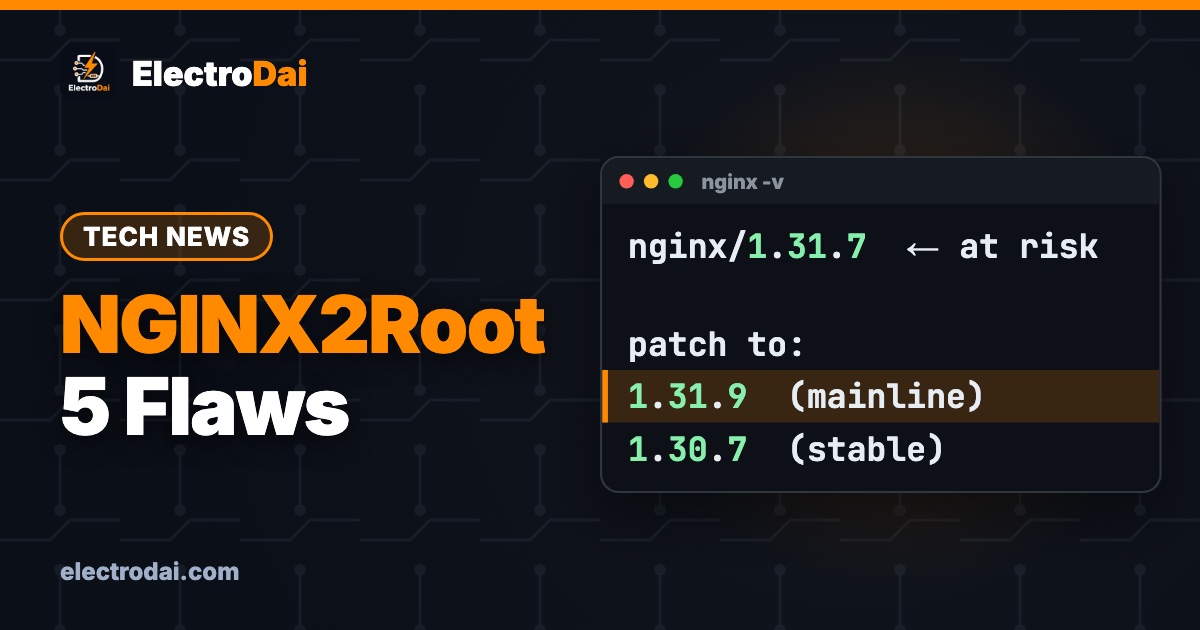
On 18 November 2026, F5 shipped an emergency, out-of-band release for NGINX — the web server quietly running a huge chunk of the internet. Security researchers are calling the set of bugs NGINX2Root: five flaws that can crash your web server and, in the worst case, let an attacker run their own code on it. Public proof-of-concept code is already circulating, so this is a patch-today situation.
This is ElectroDai's plain-English breakdown for students and small site owners in Nepal. No attack code here — just what NGINX2Root is, a safe way to check your own server's version, and exactly how to fix it. If any of your sites sit behind NGINX, this one is for you.
What is NGINX2Root, in simple words?
NGINX is the program that receives visitors' requests and hands back your web pages. These five bugs live in different parts of that machinery. The headline one is a counting error in HTTP/2 — the modern, faster way browsers talk to servers. A specially shaped request can make NGINX miscalculate, crash the worker that serves pages, and in bad conditions open the door to remote code execution: the attacker's commands running on your box.
The other four are "use-after-free" bugs — NGINX reuses a piece of memory it already threw away — in HTTP/2 proxying, the newer HTTP/3 path, the DNS resolver, and the mail proxy. The name NGINX2Root comes from the nightmare scenario: chain the web-server bug with a separate operating-system flaw and an attacker could climb all the way to root, the server's top-level account.
The five bugs at a glance
Scroll sideways to see all columns.
| Bug ID | Where it lives | Needs |
|---|---|---|
| CVE-2026-123007 | HTTP/2 flow control (the main one) | HTTP/2 enabled |
| CVE-2026-123633 | HTTP/2 proxying | HTTP/2 + proxying |
| CVE-2026-121810 | HTTP/3 (QUIC) | HTTP/3 enabled |
| CVE-2026-123634 | DNS resolver | resolver with variable server names |
| CVE-2026-113425 | Mail proxy auth | Mail proxy in use |
F5 scored the set at 9.2 out of 10. The first one is the most urgent, because most modern sites turn HTTP/2 on by default — so most NGINX servers can at least be crashed. The others only bite if you actually use that feature (HTTP/3, the mail proxy, and so on).
Am I affected? A safe self-check
This is a read-only check. You are only asking NGINX to print its own version — nothing more.
On your server (SSH):
nginx -v
You will see something like nginx version: nginx/1.31.7. Compare it to the safe versions below.
Scroll sideways to see all columns.
| NGINX branch | First safe version |
|---|---|
| Mainline (1.31.x) | 1.31.9 |
| Stable (1.30.x) | 1.30.7 |
Anything older than 1.31.9 on the mainline branch (or 1.30.7 on stable) is affected — that covers a long range going back to 1.9.5. If you run NGINX Plus, the commercial build, check F5's advisory directly, as its version numbers differ.
Not sure if you even run NGINX? On a Linux box:
systemctl status nginx
If it says "could not be found" or "inactive", NGINX is not serving your site — many Nepal hosts use LiteSpeed or Apache instead, which these particular bugs do not affect.
How to fix it
Your own VPS (Ubuntu / Debian):
sudo apt update
sudo apt upgrade
sudo systemctl restart nginx
Then run nginx -v again and confirm it reads 1.31.9 (or 1.30.7) or newer.
Docker: if your NGINX runs in a container from a floating tag like nginx:alpine, pull the fresh image and recreate just that container:
docker pull nginx:alpine
docker compose up -d --no-deps <your-nginx-service>
Managed / shared hosting: you usually do not control NGINX yourself. Open a support ticket and ask them to confirm they have applied the NGINX2Root patch. Good providers did it within a day.
Can't patch this minute? A temporary cushion: avoid ssi and mirror directives with variable proxy names, and keep any mail-proxy listener on a trusted network only. These are stopgaps — the real fix is the upgrade.
What this means for you as a student
Most student and hobby sites in Nepal sit on shared hosting where someone else runs NGINX — so your main job is to ask your host whether they have patched, and move on if they have. But if you have graduated to your own VPS (Oracle Cloud free tier, a cheap droplet, a Raspberry Pi facing the internet), patching is now your responsibility. Two habits worth building early:
- Turn on automatic security updates (
unattended-upgradeson Ubuntu) so critical fixes like this arrive while you sleep. - Only expose what you need. If you are not using HTTP/3 or the mail proxy, do not enable them — every feature you turn on is one more thing that can break.
FAQ
Does NGINX2Root affect my website if I use Apache or LiteSpeed?
No. These five bugs are specific to NGINX. If your server runs Apache, LiteSpeed or Caddy, you are not affected by NGINX2Root — though you should still keep whatever you run updated.
I run a small static site. Am I really at risk?
Even a static site can be knocked offline by the HTTP/2 crash bug. Taking your site down is a real attack too, so patching still matters — but the data-theft risk is lower than for a site with a database and logins.
Has this been exploited in the wild yet?
As of the F5 release, proof-of-concept code is public but there was no confirmed widespread exploitation, and it was not yet on the US government's Known Exploited Vulnerabilities list. That changes fast once exploits are public, which is exactly why you patch now rather than later.
Sources
Based on F5's official November 2026 NGINX security release and reporting from Qualys, Tenable, Sophos and Help Net Security (18–19 November 2026). Always follow your hosting provider's own advisory for your specific setup.

Java4Shell Explained: The OpenJDK Bug That Only Hits Certain CPUs
Java4Shell (CVE-2026-114938) is an OpenJDK flaw that can take over Java servers — but only on AVX-512 CPUs. Plain explainer, a safe check, and how to…

PHP2Shell Explained: The Critical PHP Bug and How to Check If You Are Safe
PHP2Shell (CVE-2026-109618/109619) lets attackers take over PHP servers. Plain-English explainer, a safe check for your own site, and how to patch.